Korea eSIM vs SIM Card vs Pocket Wi-Fi: Which to Get and Where
Korea eSIM vs SIM card vs pocket Wi-Fi: prices, airport counters, unlocked-phone checks and when you need a Korean 010 number, compared for visitors.
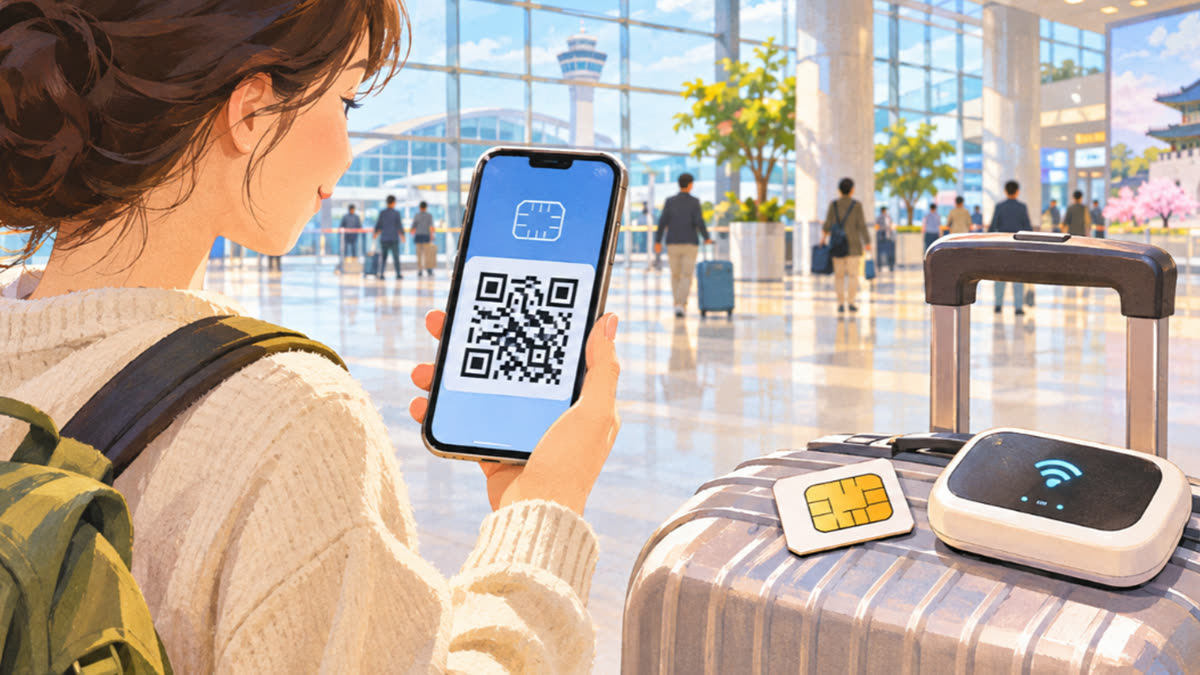
If your phone is unlocked and supports eSIM, a prepaid Korean eSIM is usually the simplest option. You can buy it online before you fly and have data as soon as you land. A physical SIM makes sense if your phone has no eSIM, or if you want a Korean 010 number that can make calls. Pocket Wi-Fi is the pick if your phone is locked to its home carrier or several people will share one connection. This guide compares the Korea eSIM vs SIM card choice, shows typical prices, and explains where to pick each one up at the airport.
All prices and rules below were checked on November 5, 2026. Carriers change their plans often, so check the booking page again before you pay.
Korea eSIM vs SIM card vs pocket Wi-Fi: the quick answer
| eSIM | Physical SIM | Pocket Wi-Fi | |
|---|---|---|---|
| Best for | Solo travelers with a recent unlocked phone | Phones without eSIM; people who need a local number | Locked phones, families, groups, laptops |
| Example price (LG U+) | ₩6,500 (about US$4.50) for 1 day; ₩27,500 (about US$19) for 5 days | Same as eSIM for the data-only SIM | ₩4,400 (about US$3) a day |
| Data | Unlimited LTE/5G (speed may be controlled if traffic is abnormally heavy) | Unlimited LTE/5G, same caveat | 4GB a day at full speed, then unlimited at 5Mbps |
| Korean number | Only on data + voice products | Only on data + voice products | No |
| How you get it | QR code after purchase | Pick up at an airport counter | Pick up at an airport counter, return before you fly out |
| Keep your home number active | Yes, if your phone supports dual SIM | Only if your phone has a second slot or eSIM | Yes |
The example prices come from LG U+'s official tourist pages. SK Telecom, KT and third-party resellers sell their own tourist plans as well, so compare a few before you book.
How much is a SIM card or eSIM in Korea?
Korea's three major carriers are SK Telecom, KT and LG U+. All of them sell prepaid products for visitors, and resellers sell data that runs on their networks. As a reference point, LG U+ charges the same for its data-only eSIM and its data-only SIM:
| Days | Price (KRW) | Approx. USD |
|---|---|---|
| 1 | ₩6,500 | $4.50 |
| 2 | ₩12,000 | $8.50 |
| 3 | ₩18,000 | $13 |
| 4 | ₩23,000 | $16 |
| 5 | ₩27,500 | $19 |
Longer plans appear on the booking page. Dollar figures are rough and change with the exchange rate, and you pay in won. The headline price matters less than these details:
- "Unlimited" comes with a caveat. LG U+ sells its eSIM and SIM as unlimited data with no speed cap, but its terms say speed may be controlled if your traffic is abnormally heavy. Plans from other sellers can work differently, so check the daily allowance before you buy.
- The clock starts at first use, not at purchase. LG U+ gives this example: buy a 5-day plan on January 1, start using it at 10:00 on January 4, and it lasts until 10:00 on January 9. You have to activate an LG U+ eSIM within 60 days of payment.
- Data eSIMs can't be refunded once you pay. An installed eSIM can't be reissued or moved to another phone, and a deleted one can't be restored. If something goes wrong, contact customer service rather than deleting the eSIM.
- Purchase limit: LG U+ allows up to three products per passport.
Do you need a Korean phone number?
On most short trips, you don't. Messaging, maps and taxi apps all run on data alone. A Korean 010 number is useful if you want to:
- Take calls or texts from restaurants, hosts, couriers and tour operators
- Pass SMS checks when signing up for some Korean apps. LG U+ says its voice/SMS products work for SMS checks on restaurant and taxi-booking apps, but not for bank or government identity checks.
- Call Korean numbers without using a calling app
Data-only products can't make regular calls or send texts, and they can't pass SMS checks. You also can't add voice to a data-only eSIM later, so if you might need calls, pick a data + voice product from the start. LG U+ sells data + voice products only at its airport counters, and staff there check your passport.
On LG U+ plans with calling, incoming calls and texts are free. Outgoing domestic calls cost ₩4.4 per second (₩264 a minute), and a domestic text costs ₩55.
Is pocket Wi-Fi worth it in Korea?
Pocket Wi-Fi, often called a "Wi-Fi egg," is a good fit when:
- Your phone is locked to its home carrier and won't accept a foreign SIM
- Two or more people are traveling together. LG U+'s router can connect up to 10 devices at once.
- You also need to get a laptop or tablet online
The downsides: it's another device to carry and charge, everyone has to stay near it, and you have to return it. LG U+ charges ₩4,400 a day. You get 4GB of full-speed data each day, then unlimited data at 5Mbps, and the 4GB resets every night at midnight. A power bank is included free. You pay when you return the router, in cash or by card.
The rental fee is charged every day until you return the router. You can return it at any LG U+ counter at Incheon, Gimpo or Gimhae, whichever airport you rented it from. Report a lost or damaged device right away, because you'll have to pay a charge. If a lost router turns up and you return it within 14 days, LG U+ refunds that charge.
Where to get a SIM card or eSIM at Incheon Airport
LG U+ runs counters in the first-floor arrivals halls of both Incheon terminals. Other carriers list their counter locations on their own websites. Lines can get long in busy seasons, so it's worth buying online before you leave and visiting a counter only to collect a SIM, a router or a free extra.
LG U+'s counters:
| Location | Hours |
|---|---|
| Incheon Terminal 1, 1F arrivals, Gate F | 24 hours |
| Incheon Terminal 1, 1F arrivals, Gate A | 06:00–22:00 |
| Incheon Terminal 2, 1F arrivals, Gate 3 | 24 hours |
| Incheon Terminal 2, 1F arrivals, Gate 8 | 06:00–22:00 |
| Gimpo International Airport, Gate 1 | 06:30–23:00 |
| Gimhae (Busan), between Gates 2 and 3 | 06:00–22:00 |
LG U+ says these hours can change, so check its website close to your trip.
Bring your passport and a credit or debit card for the deposit. A credit card must be in the same name as your passport, and LG U+ puts a ₩1,111 authorization on it that isn't actually charged. A debit card is charged a ₩70,000 deposit, which is refunded automatically when you return the item in good condition.
Once you're online, you can handle the rest of your arrival. See our guides to getting from Incheon Airport to Seoul and buying and topping up a T-money card. If you buy an LG U+ eSIM for three days or more, you can get a free T-money card at its Incheon Airport counter. The card has no money on it, so you still need to load it.
How to set up a Korean eSIM step by step
- Check your phone. It has to be unlocked and support eSIM. Dial
*#06#. If an EID number appears, your phone supports eSIM. Support also depends on the model. LG U+'s install guide says its eSIM can't be used on Google Pixel, Motorola or OPPO phones, so read the compatibility notes for whichever plan you choose. - Buy online from the carrier's tourist site or a reseller. Enter your passport details if the site asks for them.
- Install the eSIM on Wi-Fi by scanning the QR code you receive. You can do this at home or at the airport. Don't delete it afterward.
- When you land, set the Korean line as your data line. Turn on data roaming for the eSIM if your instructions tell you to, and leave roaming off on your home SIM so you don't get charged.
- Find your Korean number, if your plan includes one, in your phone's SIM or cellular settings.
Living in Korea: what changes for residents?
Tourist plans are built for stays of days or weeks. If you're moving to Korea, people usually go through two stages:
- Before your residence card arrives: many newcomers get by on a tourist SIM or eSIM.
- After you receive your residence card: you can usually look at regular monthly plans from the major carriers or from cheaper budget carriers (MVNOs, called altteulpon in Korean). Each provider sets its own document rules and decides which plans foreigners can sign up for, so ask in the shop before you sign.
Tourist products don't cover everything. LG U+ says even its voice plans can't be used for bank or government identity checks. A phone line registered in your own name is what you need for those services.
Good to know
- Unlocked is not the same as dual SIM. Only your home carrier can unlock your phone, so arrange it before you travel.
- Install your eSIM before the trip, while you're on reliable Wi-Fi.
- Download offline maps in case your data is slow to connect at first. Our map app guide for Korea explains why Naver Map and Kakao Map work better than Google Maps for walking and transit directions here.
- Return pocket Wi-Fi before you leave the country. The daily fee keeps running until you do.
- Need help? The 1330 Korea Travel Helpline, run by the Korea Tourism Organization, offers travel information, interpretation and help with complaints. Call 1330 inside Korea or +82-2-1330 from abroad, or use its web chat, KakaoTalk, LINE, WhatsApp or Facebook.
FAQ
Can I use eSIM in Korea with an iPhone?
Yes, as long as your iPhone supports eSIM and is unlocked, either because you bought it unlocked or because your carrier unlocked it. Dial *#06# and check that an EID appears. Install the eSIM on Wi-Fi before you leave, then make it your data line when you land.
Is it cheaper to buy a SIM card at Incheon Airport or online?
Buying online is usually cheaper and faster. LG U+ offers an online-only discount on its data products (10% on data-only SIMs, according to its FAQ), and you avoid the lines in the arrivals hall. You can still buy at the counter on the day if you didn't plan ahead.
Does a Korean tourist SIM come with a phone number?
It depends on the product. Data + voice products come with a Korean 010 number that can make calls and send texts. Data-only products can't, and a data-only eSIM can't be upgraded to voice later. Decide which type you need before you buy.
Can I return pocket Wi-Fi at a different airport?
With LG U+, yes. You can return it at any of its counters at Incheon, Gimpo or Gimhae, whichever airport you rented it from. Other providers set their own rules, so check before you book.
Will my home SIM still work while I use a Korean eSIM?
Yes, if your phone supports dual SIM. Your home line can stay on for calls and texts while the Korean eSIM handles data. Turn off data roaming on your home line so you don't pay roaming fees.
Sources
- LG U+ Korea SIM – Incheon Airport arrival guide (Korean)
- LG U+ Korea eSIM (data only) product page
- LG U+ Korea prepaid SIM product page
- LG U+ Pocket Wi-Fi rental page
- Korea Tourism Organization – 1330 Korea Travel Helpline
Facts were checked against the sources above; the article itself was written by Seoul Sidekick. Report an error